RASON Desktop Developer Walkthroughs

Step-by-step walkthroughs for developers building and deploying analytic models in RASON Desktop. Each example shows how to import data, build a model, export results, and package the model for end users to run in Power BI or Excel — without ever returning to RASON Desktop.

How it works

Every RASON Desktop deployment follows the same pattern, regardless of model type. A developer builds and tests the model, then exports it into a Power BI report or Excel workbook. End users open that report or workbook and solve the model directly — using RASON Runner in Power BI, or Excel Runner in Excel.

Power BI Track

RASON Desktop → Power BI → RASON Runner

1
Developer · RASON Desktop

Import, build & export results

Import data from a Power BI report, build the model, and write results back to Power BI. See the example pages below for walkthroughs by model type.

2
Developer · RASON Desktop

Export the RASON model to Power BI

Package the finished model into a Power BI report so end users can run it without opening RASON Desktop.

3
End user · Power BI

Solve with RASON Runner

Open the Power BI report and run the embedded RASON model using RASON Runner — no RASON Desktop or VS Code needed.

Excel Track

RASON Desktop → Excel → Excel Runner

1
Developer · RASON Desktop

Import, build & export results

Import data from an Excel workbook, build the model, and write results back to the spreadsheet. See the example pages below for walkthroughs by model type.

2
Developer · RASON Desktop

Export the RASON model to Excel

Package the finished model into an Excel workbook so end users can run it without opening RASON Desktop.

3
End user · Excel

Solve with Excel Runner

Open the Excel workbook and run the embedded RASON model using Excel Runner — no RASON Desktop or VS Code needed.

Examples by model type

Each example follows the same two-track pattern above, applied to a specific type of analytic model. Select a model type to see the full developer walkthrough, including data import, model structure, and code.

Coming soon

Optimization

Define an objective, decision variables, and constraints. Solve linear, mixed-integer, or nonlinear optimization models and export optimal values to Power BI or Excel.

Walkthrough in progress
Coming soon

Simulation

Model uncertainty with probability distributions, run Monte Carlo trials, and export summary statistics and risk metrics to Power BI or Excel.

Walkthrough in progress
Coming soon

Data Science

Apply machine learning and statistical models to your data, score records against trained models, and export predictions to Power BI or Excel.

Walkthrough in progress
Available now

Decisions

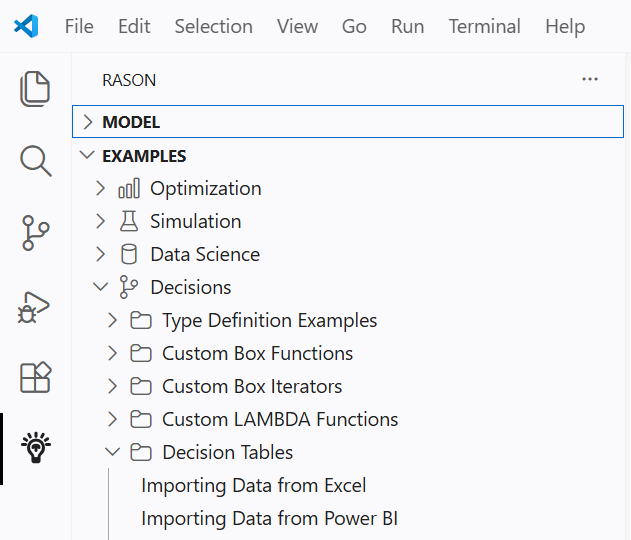
Import records from Power BI or Excel, evaluate them against business rules in a decision table, and export a result for each record.

View walkthrough →
Coming soon

Decision Flows

Model multi-step decision logic as a flow of connected rules and conditions, and deploy the complete flow to Power BI or Excel.

Walkthrough in progress